
Run reports
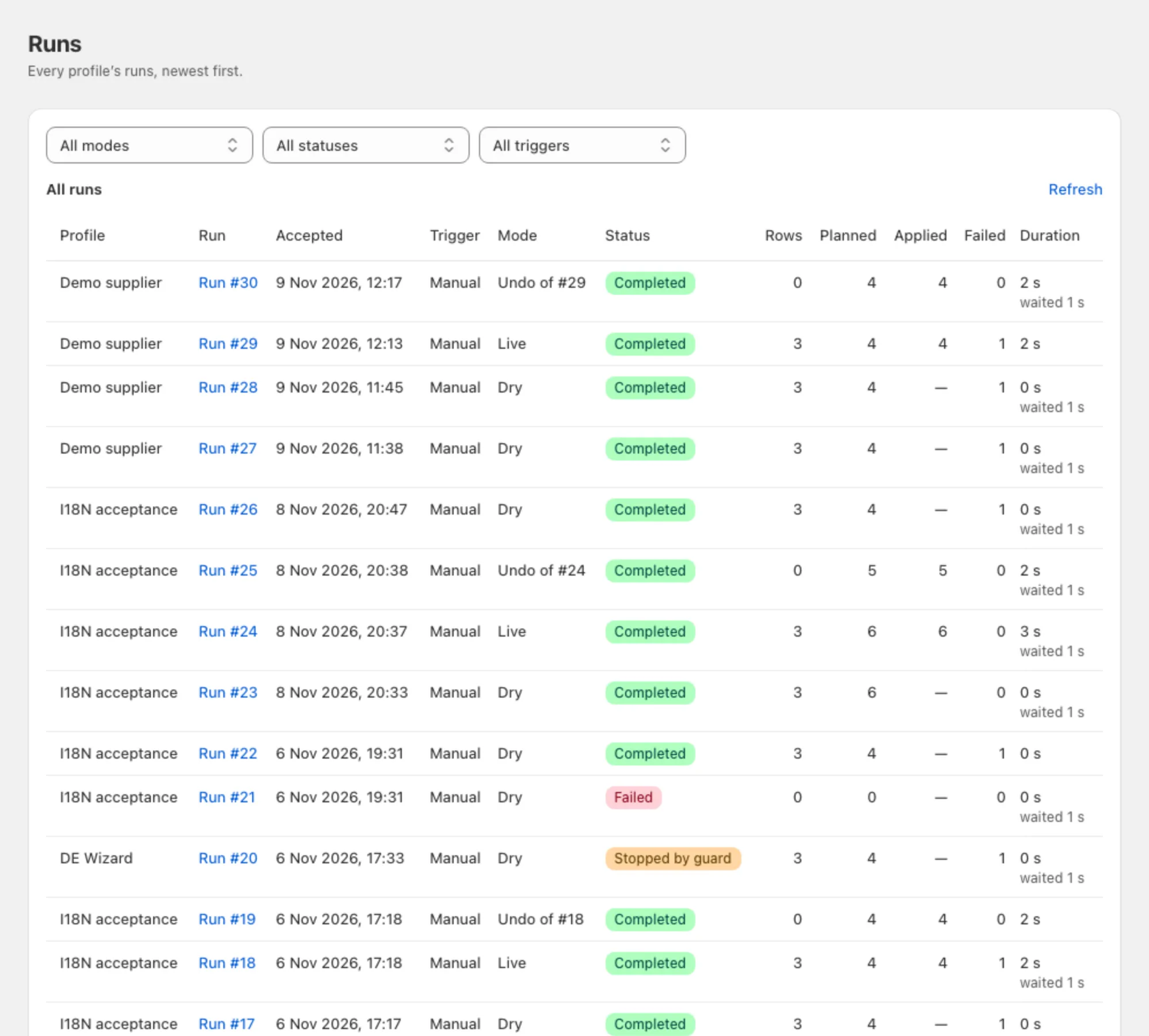
Every run, dry or live, has a report. Open it from the profile’s Runs tab or from the Runs page, which lists every profile’s runs, newest first. Filter the list by mode (Dry runs, Live runs), status or trigger (Manual, Scheduled).
Run status
Section titled “Run status”| Status | Meaning |
|---|---|
| Queued | Accepted, waiting for a worker to start it. |
| Running | Going through its stages: Reading the feed, Planning changes, then, for a live run, Writing to Shopify. You can leave the page; it keeps going. |
| Completed | Finished. A dry run wrote nothing; a live run wrote its planned changes. |
| Stopped by guard | A guard stopped it before anything was written. |
| Failed | It couldn’t fetch or read the feed, or stopped before it finished. The report says why and what, if anything, was written. |
| Needs attention | It was interrupted while writing to Shopify, so some changes may or may not have been applied. New runs and undo for the profile are blocked until our support team has checked your store and released the run. |
Only one run of a profile happens at a time, including an undo.
The report
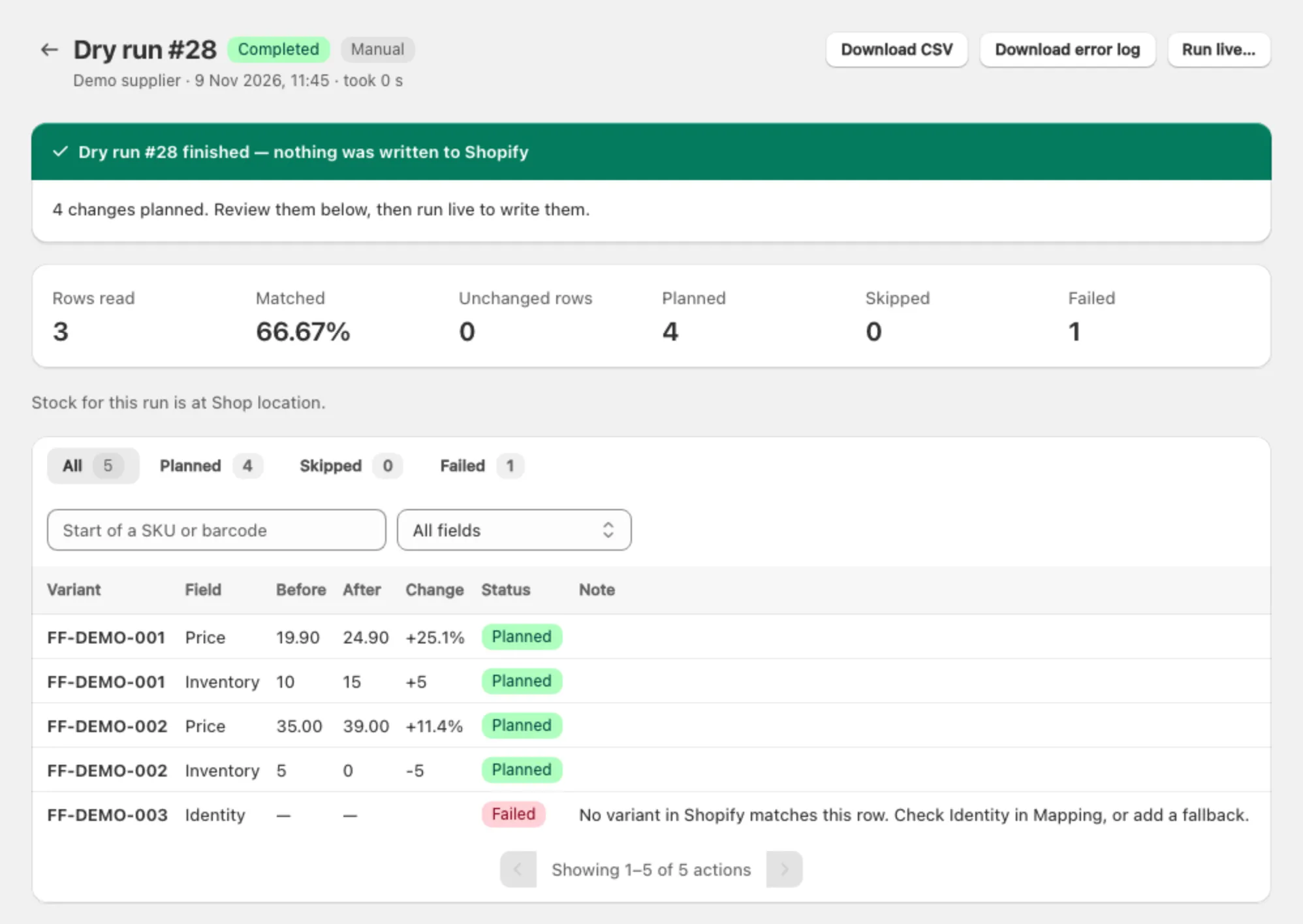
Section titled “The report”At the top, the report shows the run’s mode and trigger, the dry run it was based on or the run it undoes, and how long it took. Rows read, Matched and Unchanged rows sum up the feed.
Below, every action is listed: one change to one field of one variant, with its value Before and After and a Note. Filter them by status, by field (All fields), or search by the start of a SKU or barcode.
| Action status | Meaning |
|---|---|
| Planned | A change to write. In a dry run, every change stays planned. |
| Applied | Shopify accepted the change. |
| Skipped | Nothing to write, usually because Shopify already has the value. The note gives the reason. |
| Failed | The change couldn’t be made: the row matched no variant, a rule failed, a guard held it back, or Shopify refused it. The note says what to fix. |
A row that matched no variant, matched several, or had no identity value is listed once, under the field Identity. When a profile creates products, the report also lists the New products and the Product groups.
See Common errors for the notes you’re most likely to meet.
Downloads
Section titled “Downloads”- Download CSV: every action of the run, the diff report.
- Download error log: only the failed actions, to fix the feed or the mapping from.
How long reports are kept
Section titled “How long reports are kept”Run history is kept for 90 days.