
Guards that stop a bad feed
Guards check a run after it has planned every change and before it writes anything. If a guard that stops the run trips, the whole run stops, nothing is written, and your store stays exactly as it was. The report still lists every planned change, so you can see why.
A dry run checks the same guards, so a dry run that stops tells you a live run over the same feed would stop the same way.
Set the guards in the setup’s Safety step or the profile’s Settings tab. Leave a guard empty to turn it off. Use recommended values fills in a starting point.
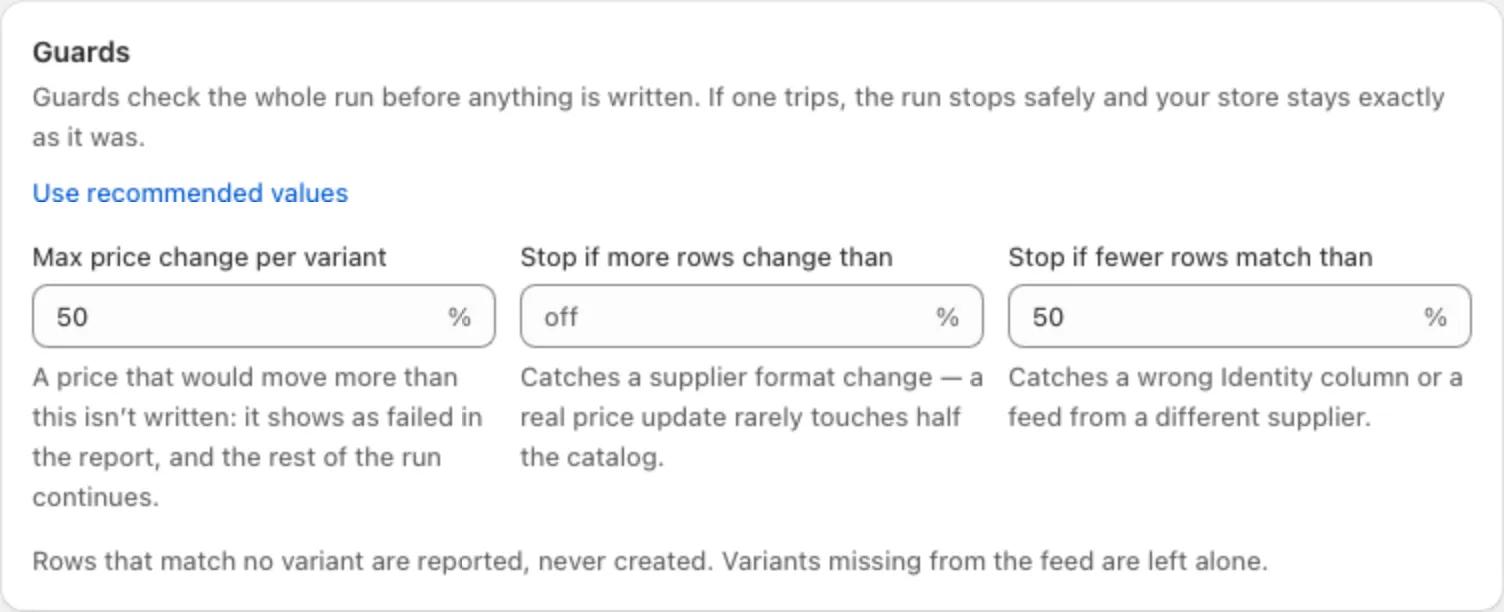
| Guard | What it does | Recommended |
|---|---|---|
| Max price change per variant | A price, compare-at price or cost that would move by more than this percentage is not written: it is listed as Failed in the report. The rest of the run continues. | 50%, when the feed writes prices |
| Stop if fewer rows match than | Stops the run when the match rate is below this percentage. Catches a wrong identity column, or a feed from a different supplier. | 90% |
| Stop if more rows change than | Stops the run when more than this percentage of rows would change. A real price update rarely touches half the catalog, so this catches a supplier’s format change. | Off |
| Stop if more variants are missing than | Only when the profile acts on variants missing from the feed. Stops the run when more than this percentage of the variants it matched before are missing. Catches a partial or broken feed. It can’t be turned off while that setting acts on missing variants. | 10% |
| Stop if a run would create more products than | Only when the profile creates products. Stops the run when it would create more than this number of products. Catches a changed identity column, which would make every row look new. It can’t be turned off while the profile creates products. | Set your own |
When a guard stops a run
Section titled “When a guard stops a run”The run’s status is Stopped by guard, and the report says which guard and by how much, for example Only 42% of rows matched a variant; the guard requires at least 90%.
- Check the feed: is it complete, from the right supplier, in the format it used to be?
- Check the Mapping: does the identity column still hold your SKUs or barcodes?
- If the change is expected, for example a big seasonal price change, adjust the guard, run a dry run again, then run live.