
Your first live run
When a dry run’s changes look right, you can write them to Shopify.
- Choose Go to profile, or open the profile from the Profiles page.
- Choose Run live…. The dialog shows the dry run it is based on and how many changes are planned for which fields.
- Tick I reviewed Dry run #… and want to write these changes to Shopify, then choose Write changes to Shopify.
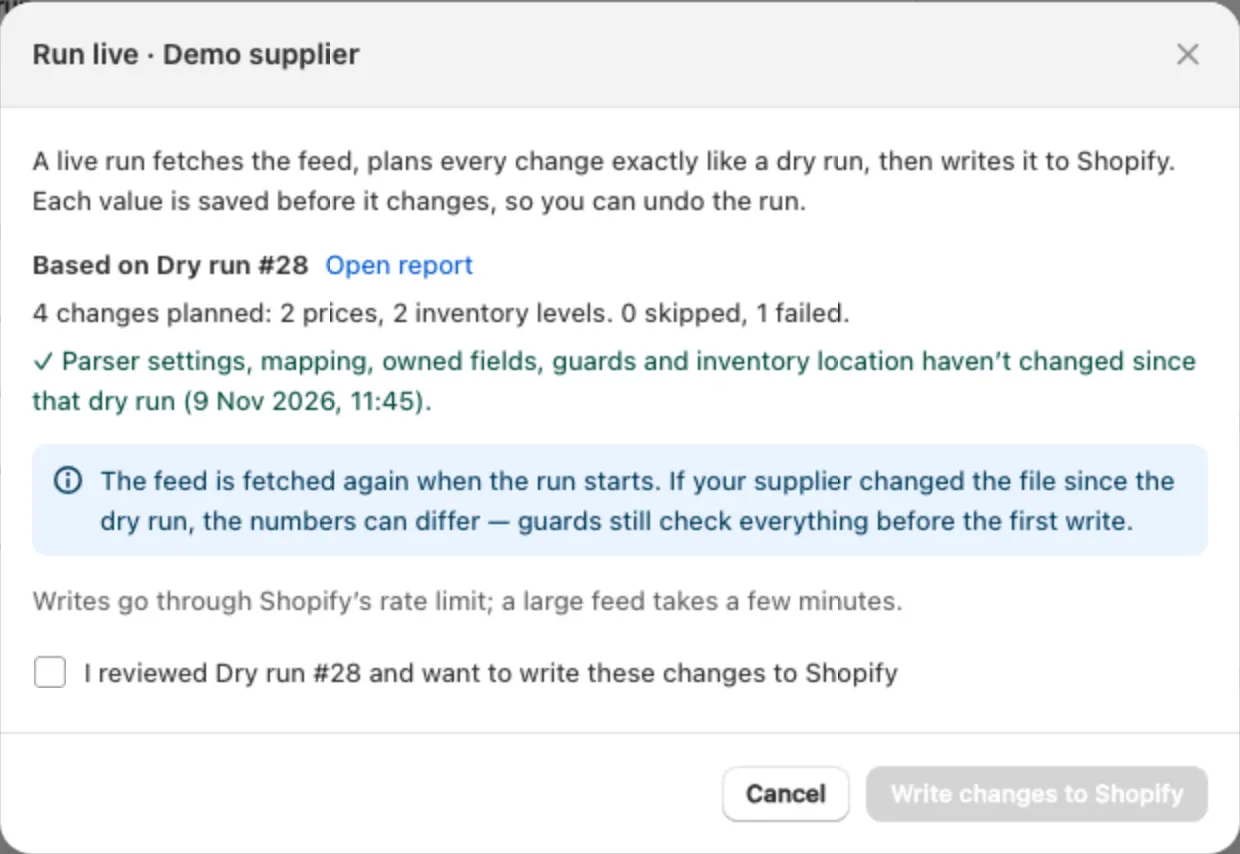
A live run fetches the feed again, plans every change exactly as a dry run does, checks the guards, and only then writes to Shopify. If your supplier changed the file since the dry run, the numbers can differ, but the guards still check everything before the first write.
Writes go through Shopify’s rate limit, so a large feed takes a few minutes. You can leave the page; the run keeps going and its result appears in the profile’s Runs tab and on the Runs page.
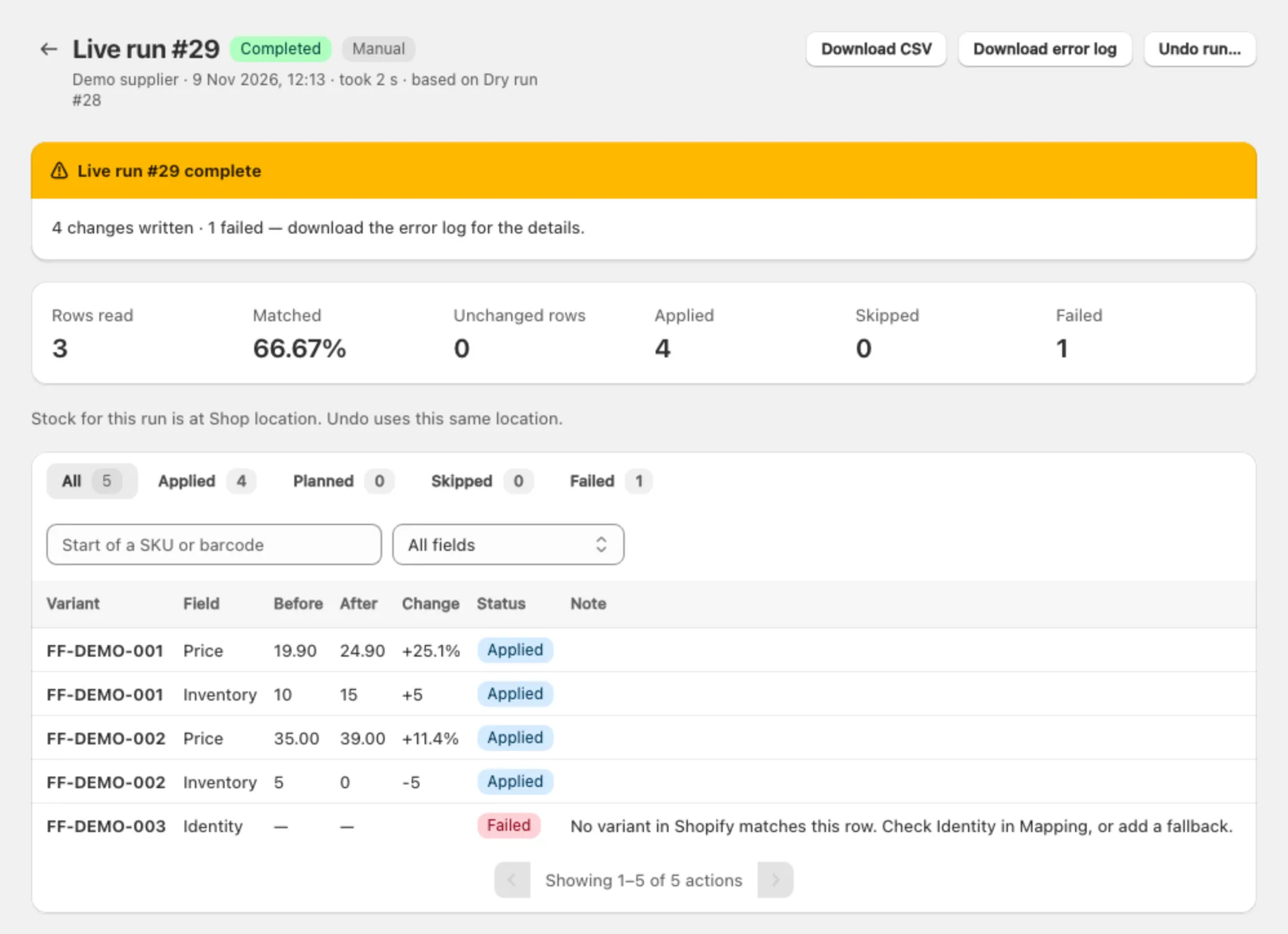
Undoing a live run
Section titled “Undoing a live run”Before each value changes, FeedForge saves the value it replaces. Open the run’s report and choose Undo run… to write those values back. Undo is best effort: what was deleted from your store since can’t be restored, and the dialog lists it before you confirm. See the undo tutorial.
What next
Section titled “What next”- Put the profile on a schedule so it runs by itself.
- Turn on Run emails in the profile’s Settings tab to hear when a run fails or its match rate drops.
- Learn to create products from rows that match nothing in your store.